
ArchitecturaAI: Building an AI Virtual Staging & Real Estate Renovation Studio with Structural Locks
Table of Contents (3 sections)▸
When real estate agencies or architects try to use generic text-to-image diffusion models to virtually stage an empty apartment or preview a kitchen renovation, the model almost always hallucinates structural changes: load-bearing columns vanish, window frames move, or kitchen plumbing teleports across the room.
I built ArchitecturaAI (Real Estate Renovation Studio) to solve virtual staging and interior renovation with structural geometry constraints, non-destructive transformation DAGs, and 3D floor-plan visualization.
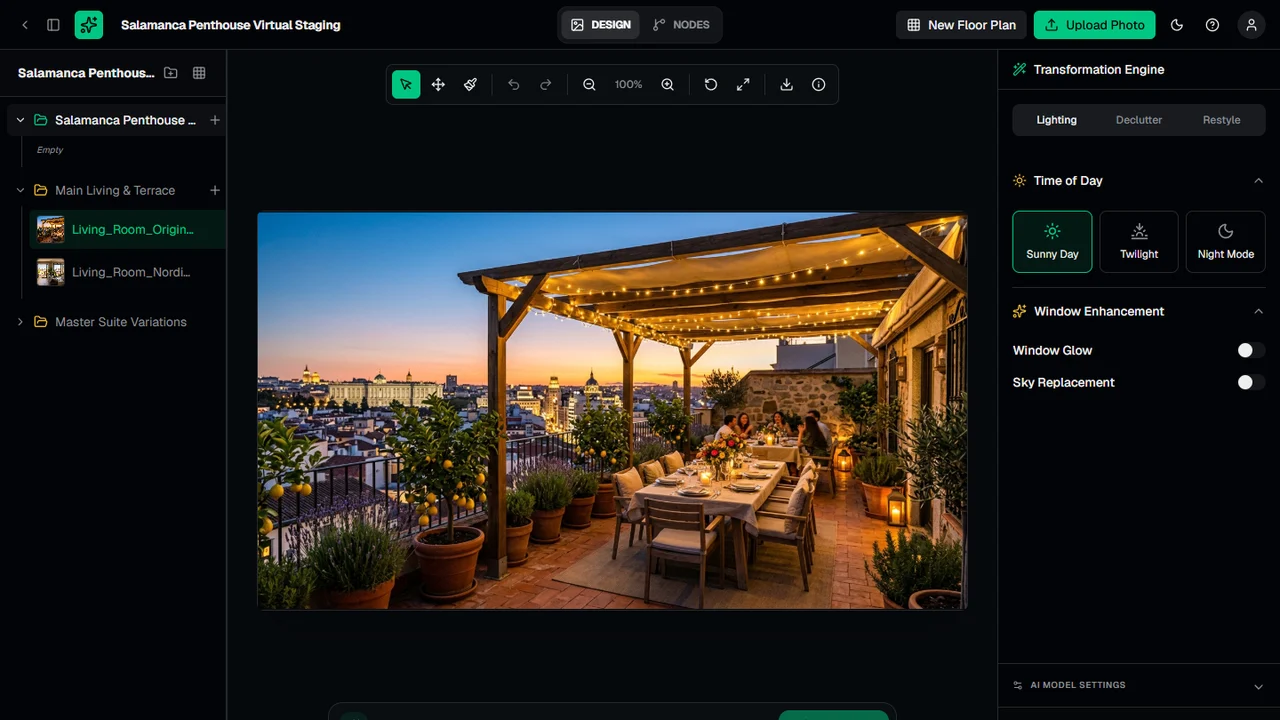
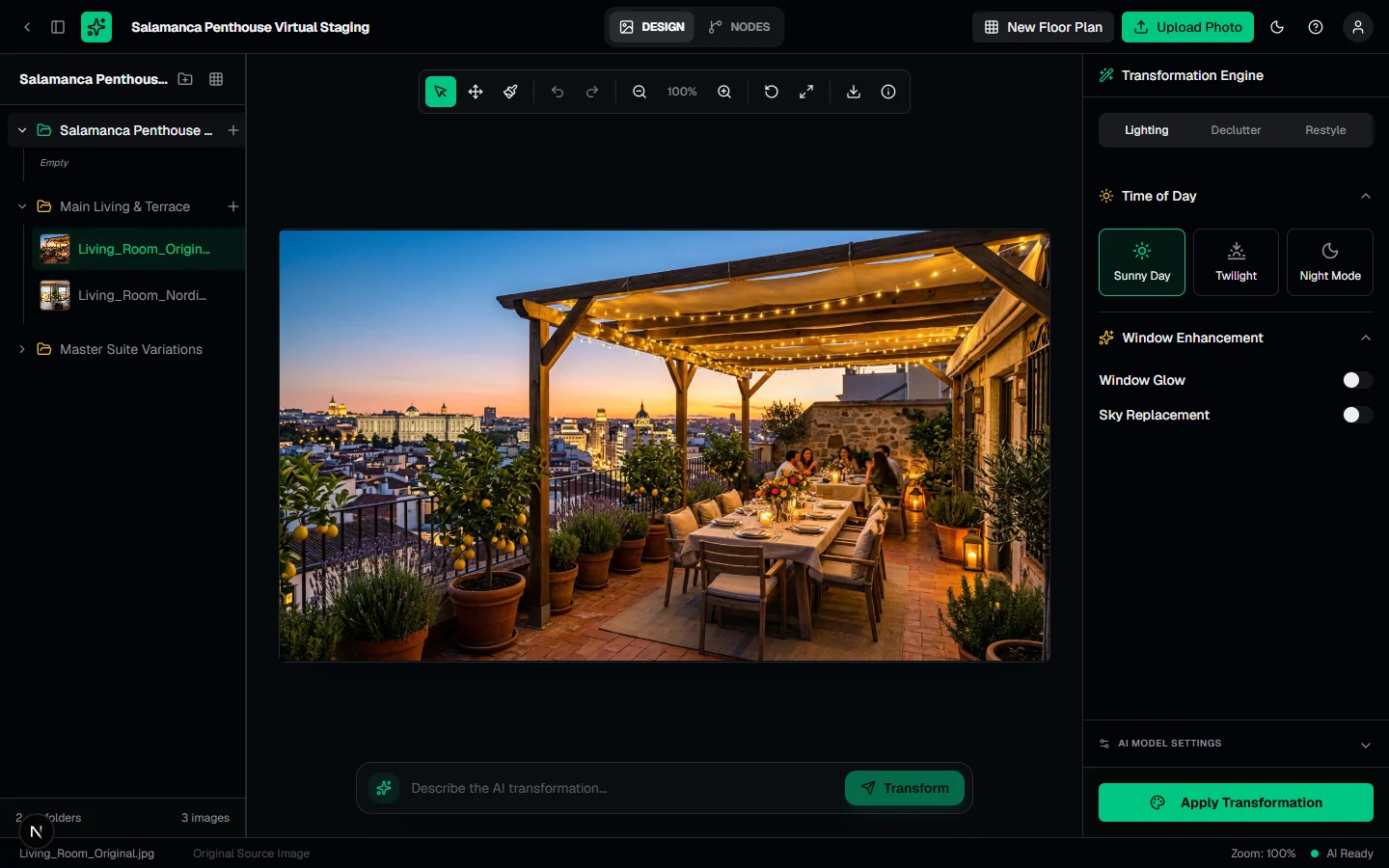 Click to zoomArchitecturaAI Virtual Renovation Editor
1. Structural Locks & Four Specialized Transformation Modes#
Rather than sending unconstrained prompts to an image model, ArchitecturaAI's editor (app/(app)/editor/[projectId]) pairs Gemini 2.5 Flash Image (@google/genai) with explicit Structural Locks (StructuralLock) and region masking (maskPath):
- Restyle & Material Swap: Swap flooring, countertops, walls, cabinetry, and ceiling materials while locking windows, fixed fixtures, and built-in architectural lines.
- Smart Declutter: Selectively remove personal clutter, wall art, or dated furniture (
removeFurniture,removeWallArt,removeAccessories) to produce a clean, market-ready shell without altering room dimensions. - Relighting (
sunny/twilight/night): Re-render exterior terraces and living spaces under golden-hour twilight or natural daylight. - Freeform Inpainting: Brush-based canvas masking for targeted architectural modifications.
2. Project Explorer & Non-Destructive Variation Graph#
Real estate listings rarely consist of a single photo. ArchitecturaAI organizes assets into multi-folder Projects (Main Living & Terrace, Master Suite Variations) where every AI pass creates a child Image node linked via parentImageId:
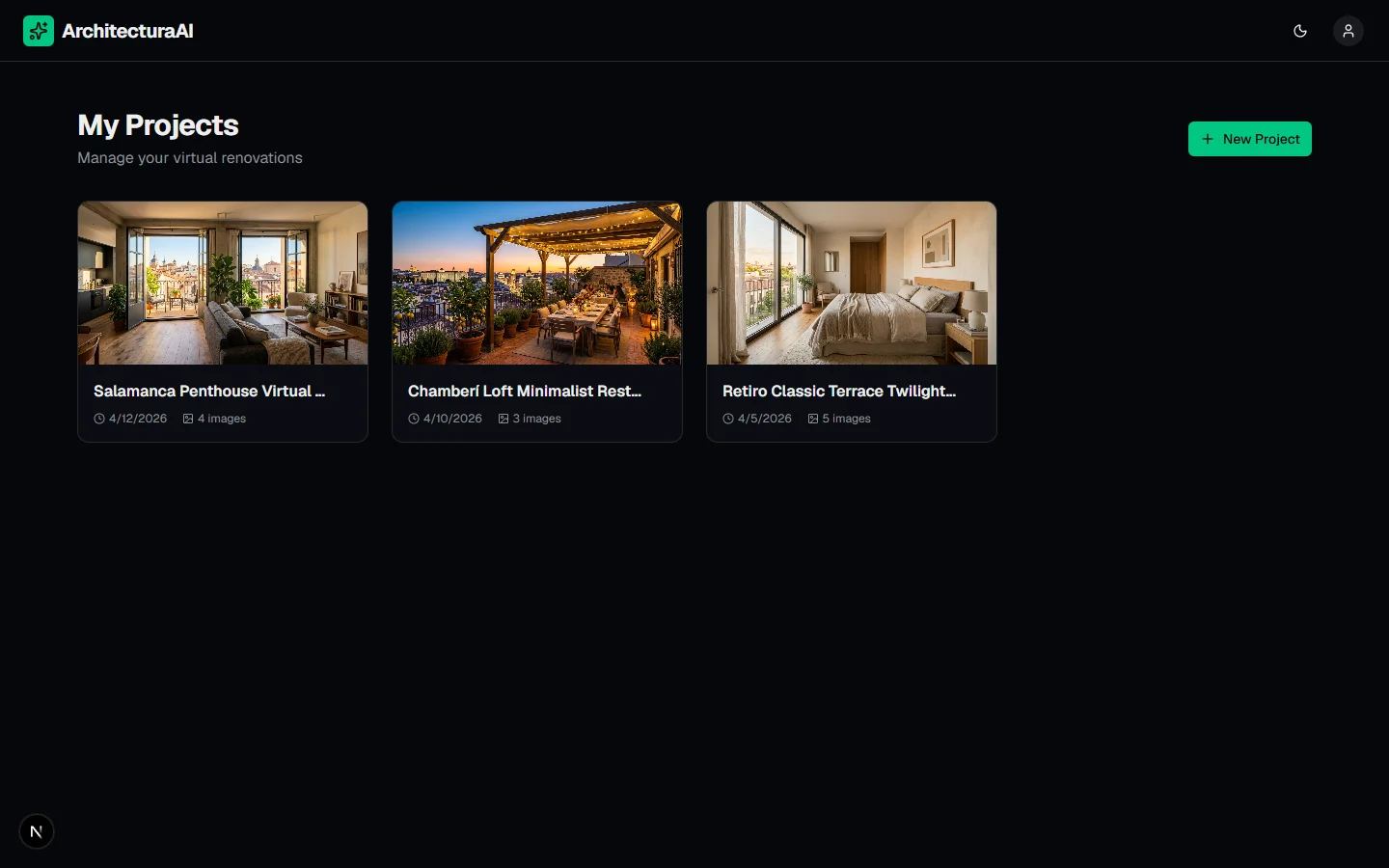 Click to zoomArchitecturaAI Project Dashboard
Users can toggle the editor between:
- Single / Before-After Split Comparison View: Interactive slider comparing the original photograph against the staged variation.
- Canvas DAG View (
@xyflow/react): A visual node graph showing the lineage of every restyle, declutter, and lighting pass branched from the original room photo. - 3D Floor Plan & USDZ/GLB Viewer (
@react-three/fiber&@react-three/drei): Interactive 3D spatial viewer for scanned room geometry.
3. Production SaaS Stack: Supabase RLS & Stripe Credit Ledger#
ArchitecturaAI is built on Next.js 16, React 19, Zustand, Supabase (PostgreSQL + Storage + Auth), and Stripe:
 Click to zoomArchitecturaAI Landing Page
- Atomic Credit Deduction: Every transformation verifies and deducts user credits atomically via
/api/user/credits/deduct, backed by Stripe Checkout and Customer Portal webhooks (/api/webhooks/stripe). - End-to-End Verification: Tested with both Vitest unit suites and Playwright E2E browser workflows.